

Datasheets for WordPress
Generate Professional PDF Datasheets Directly from WordPress
Create structured, dynamic, and repeatable PDF documents from any post type.
Design flexible templates, define custom page layouts, and track version history — all inside WordPress.
Turn Your Content into Structured PDF Documents
Datasheets allows you to generate fully formatted PDF documents from WordPress posts or products.
Whether you’re producing product datasheets, technical sheets, specification documents, or internal reports – everything is built from your existing content.
- Generate PDFs from any selected post type
- Create reusable dynamic templates
- Define custom page sizes and margins
- Add header, footer, and full-page background images
- Track and manage version history
- Customise PDF file naming structure
How It Works
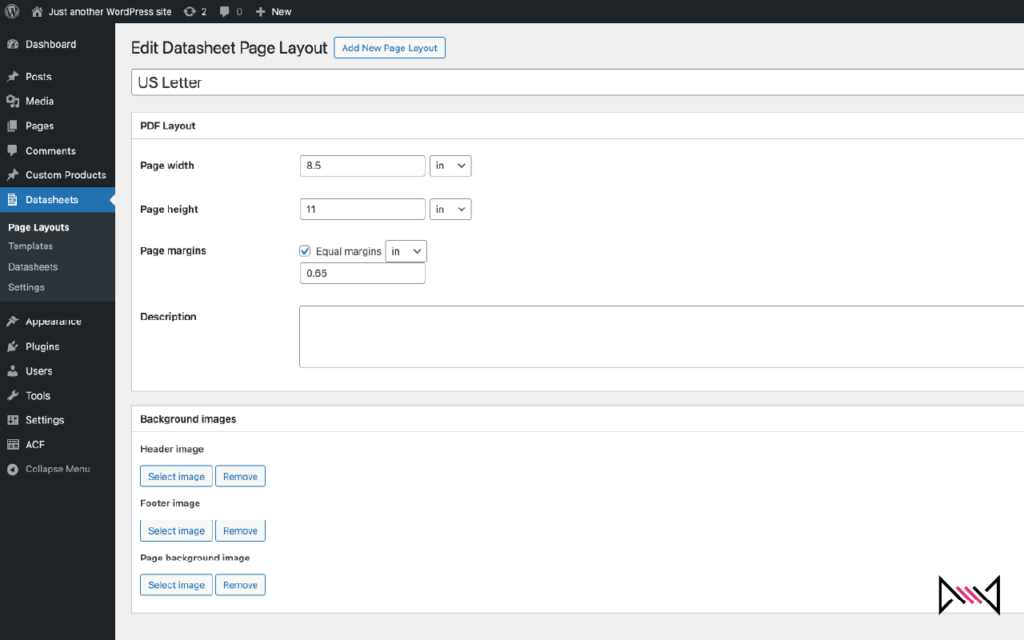
1. Create a Page Layout
Define page dimensions, margins, and optional header, footer, and background images. Supports mm, cm, inches, px, pt and more.
2. Build a Dynamic Template
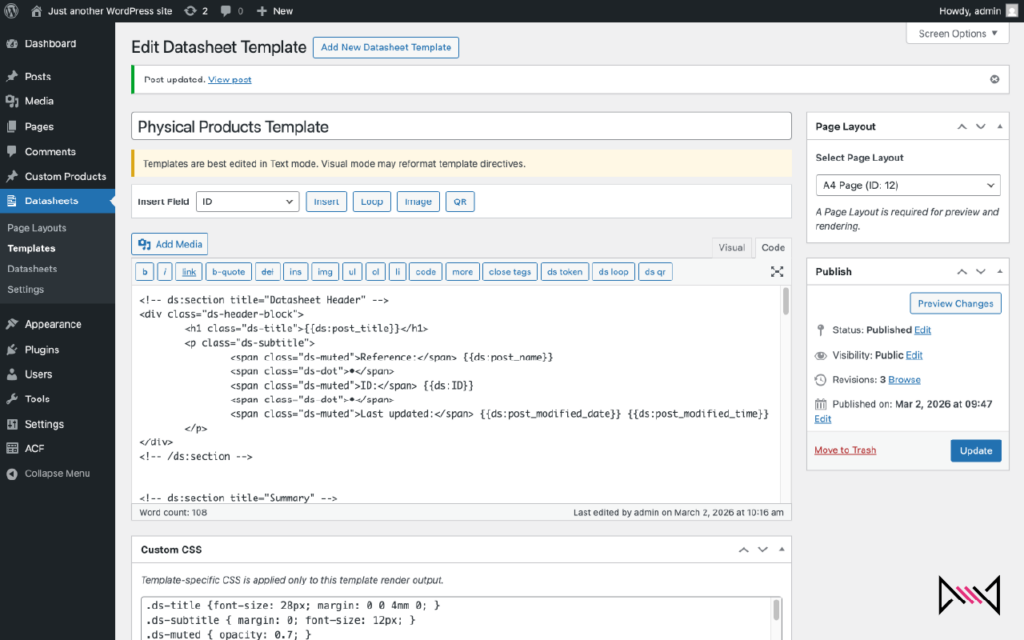
Use dynamic fields such as:
- {{ds:post_title}}
- {{ds:author}}
- {{ds:post_date}}
- {{ds:category}}
Add loop blocks, manual page breaks, and custom CSS styling to create fully structured layouts.
3. Assign & Generate
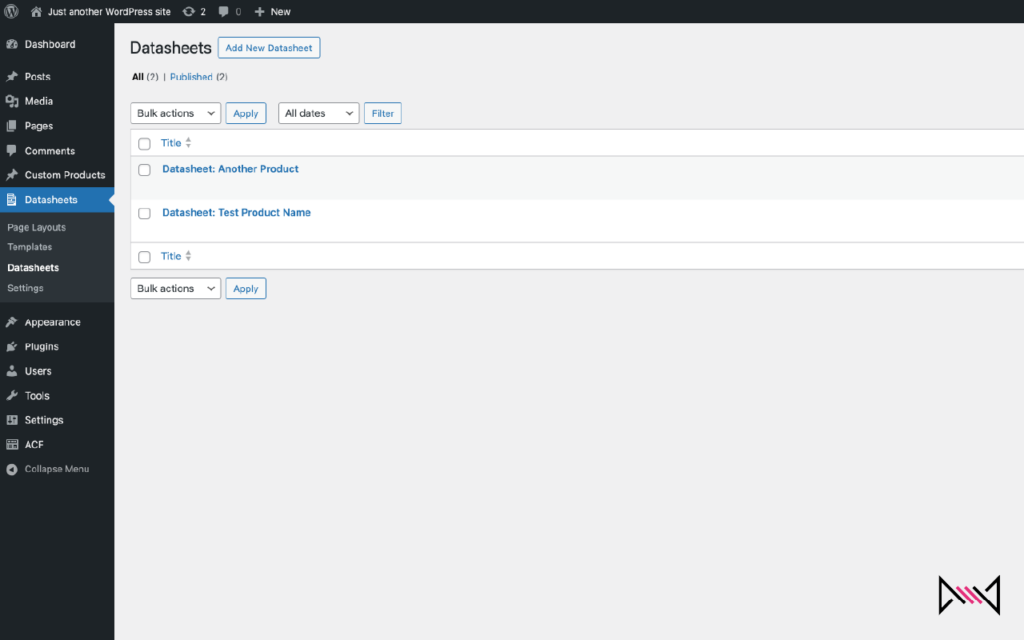
Assign a template to any supported post. Preview the HTML output, then generate a PDF instantly.
Each PDF is stored in the Media Library and recorded in a version history log.
A Flexible Template System
Templates combine standard HTML with dynamic tags, allowing you to structure documents exactly how you need.
You can:
- Insert individual fields
- Loop over multiple fields
- Insert QR codes dynamically
- Add manual page breaks
- Apply per-template CSS styling
- Control multi-page document flow
The HTML preview uses the same rendering engine as the PDF output, ensuring consistency.
Full Version Tracking
Each source post has a corresponding Datasheet record.
From there you can:
- Regenerate new versions
- View the latest PDF
- Delete old versions
- Track generation dates
- Maintain clean documentation history
(Insert screenshot – Version history table)
Custom PDF File Naming
Define your own PDF naming structure using dynamic placeholders:
Examples:
[[post_title]] – [[pdf_generated_date]]
[[post_title]] – Specification v[[post_updated_date]]
The system automatically sanitises filenames to ensure compatibility with all file systems.
Built for Stability and Independence
- No external plugin dependencies
- Uses Dompdf (LGPL, GPL-compatible)
- Works with Classic Editor
- Compatible with modern WordPress versions
- Designed for performance and security
Ideal For
- Product manufacturers
- WooCommerce stores
- Technical documentation teams
- Compliance reporting
- Internal reporting systems
- Agencies building structured document workflows
Start Generating Structured PDFs Today
Install Datasheets from the WordPress plugin directory and begin building professional, repeatable PDF documents from your content.